Rate Game Popup
Introduction
In this video, you'll learn how to integrate Rate Game Popup into your Unity mobile game. We will cover the following key concepts:
-
Native Android Rate Game Popup: Learn how to create and display a native Android rate popup directly within your game.
-
iOS Native Rate Game Popup: Follow a step-by-step guide to setting up a native iOS rate popup in your Unity project.
-
Custom Rate Game Popup Formats: Option for customizable popup and how to implement.
-
Testing on Android and iOS: See how to test the Rate Game Popup on real Android and iOS devices to ensure everything works perfectly.
User Rate Game Popup
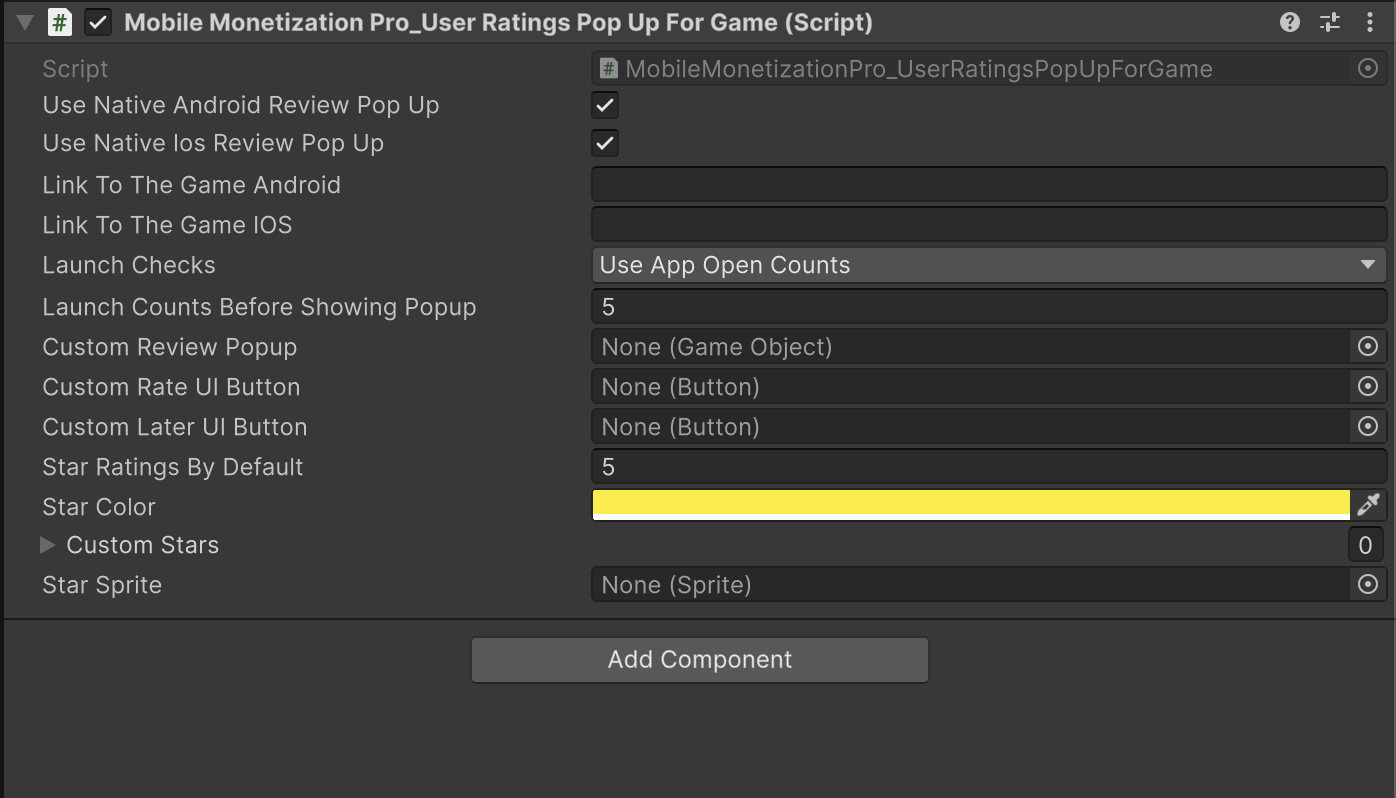
| Fields | Info |
|---|---|
| UseNativeAndroidReviewPopUp | Determines whether to use the native Android review popup for rating. |
| UseNativeIosReviewPopUp | Determines whether to use the native iOS review popup for rating. |
| LinkToTheGameAndroid | Link to the game on the Android store for users to open. |
| LinkToTheGameIOS | Link to the game on the iOS App Store for users to open. |
| Options | Determines the launch condition for showing the review popup:
|
| LaunchCountsBeforeShowingPopup | Number of times the game should be opened before showing the review popup. |
| CustomReviewPopup | Custom review popup UI GameObject. |
| CustomRateUIButton | Custom button to rate the game. |
| CustomLaterUIButton | Custom button to dismiss the review prompt. |
| StarRatingsByDefault | Default star rating value to be displayed. |
| StarColor | Color used to change the star ratings. |
| CustomStars | Array of custom star GameObjects to show the rating system. |
| StarSprite | Sprite to be activated when a star is clicked. |